Report: Display data flows
Category | Macros > IT architecture management |
Name | Display data flows |
Description | Using the Display data flows report, the user is able to create a table of data flows on the basis of one or more application system types. This report can also be run as a macro directly in the model. The conventions described earlier must be adhered to. |
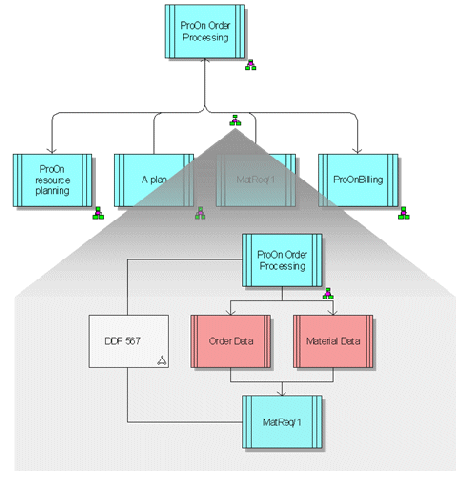
In the table, all objects are output with their name, with the entries sorted alphabetically in the following order:
System
Connected systems
Data
Protocol
Direction
As a macro
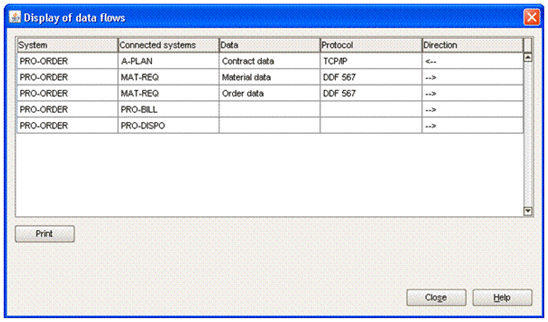
As a report
System | Connected systems | Data | Protocol | Direction |
ProOn order processing | A plan | <-- | ||
ProOn order processing | MatReq/1 | Material data | DDF 567 | --> |
ProOn order processing | MatReq/1 | Order data | DDF 567 | --> |
ProOn order processing | ProOn resource planning | --> | ||
ProOn order processing | ProOn billing | --> |